Purpose-built for Splunk Enterprise

Know when your logs go silent.

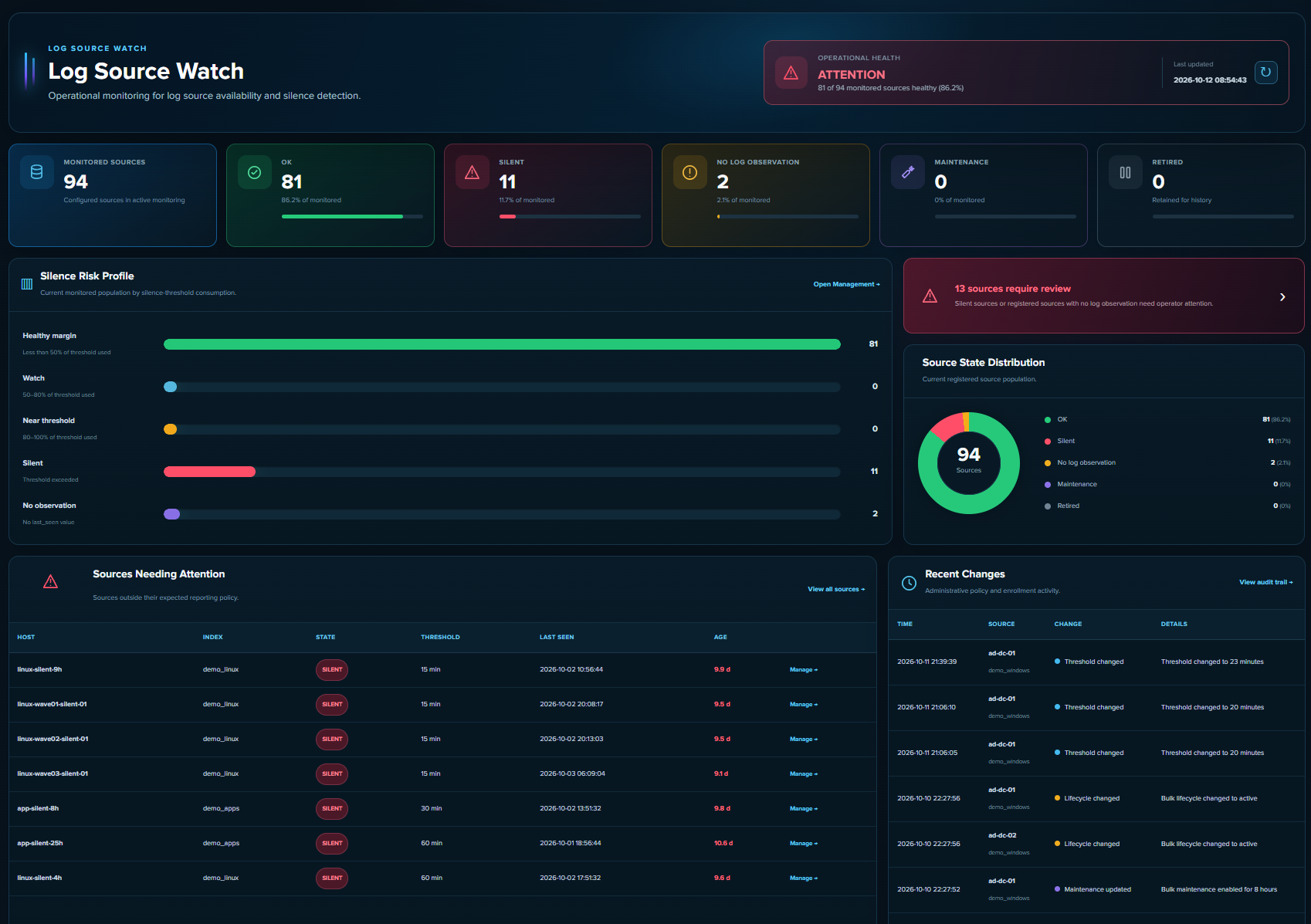
Log Source Watch monitors the index + host sources you expect Splunk to receive, tracks the latest observation for each source, and surfaces missing telemetry before it becomes an operational blind spot.
Per-source thresholdsMaintenance lifecycleAudit trailKV Store backed
Log Source Watch operational Overview showing monitored, silent, maintenance and no-observation sources
Detect silence, not just host uptimeA server can be online while its expected telemetry has stopped. LSW measures the actual log-source heartbeat.
Manage source policy in one placeThresholds, maintenance, retirement, discovery and bulk actions are handled from a single management workspace.
Keep the change historyEnrollment, lifecycle, threshold and maintenance changes are recorded per source for operational traceability.
Simple annual licensing

Start free. Pay when the environment grows.

A Monitored Source is one unique Splunk index + host pair in ACTIVE or MAINTENANCE lifecycle. RETIRED sources do not consume licensed capacity.

Community

Full product for labs, pilots and smaller standalone environments.
€0 / year
  • Up to 100 Monitored Sources
  • Single standalone Splunk environment
  • Own operational use
  • No license file required

Enterprise

For larger internal estates and advanced production topology.
€6,999 / year + VAT
  • 1,001–5,000 Monitored Sources
  • SHC entitlement available
  • Multiple production environments available
  • Signed annual license

Enterprise Plus

For very large estates or custom capacity and deployment rights.
€9,999+ / year + VAT
  • More than 5,000 Monitored Sources
  • Custom or unlimited capacity
  • Custom deployment scope
  • MSP / MSSP / OEM rights separate
Service Provider: MSP/MSSP, hosted-service, OEM, white-label, resale and redistribution rights are licensed separately. Standard Professional or Enterprise licensing does not automatically grant third-party service or redistribution rights.
What it does

Operational visibility for log-source continuity.

LSW is deliberately narrow: it answers whether the log sources you expect are still producing telemetry within their configured policy.

◎

Silence detection

Per-source thresholds determine when the latest observation is too old and the source becomes SILENT.

⌁

Lifecycle & maintenance

ACTIVE, MAINTENANCE and RETIRED policy states keep planned changes from becoming false operational alarms.

▣

Discovery & enrollment

Discover observed index + host pairs, compare them with inventory and enroll the sources that should be monitored.

↻

Bulk management

Apply threshold, maintenance and lifecycle changes to reviewed source scopes with a hard 10,000-source safety cap.

☷

Audit trail

See who changed what and when, including previous and new policy values plus the origin of the change.

✓

Application health

Inspect scheduler freshness, KV Store readiness and monitoring statistics from dedicated reports.

How it works

One source identity. One policy. One canonical state.

1Register expected sources.
Each source is a unique index + host pair.
2Track latest observation.
LSW stores the latest event timestamp observed for each registered source.
3Apply policy.
Lifecycle, maintenance and silence threshold produce a canonical operational state.
4Investigate attention states.
Overview, Management and Reports surface SILENT and NO LOG OBSERVATION sources.
Canonical state precedence

Five states, intentionally ordered.

1RETIRED — intentionally outside active monitoring.
2MAINTENANCE — intentionally suppressed for a maintenance window.
3NO LOG OBSERVATION — registered but no last-seen value exists.
4SILENT — source has exceeded its configured silence threshold.
5OK — source is reporting inside its expected window.
FAQ

Clear answers before procurement.

What counts as one Monitored Source?

One unique Splunk index + host combination registered with lifecycle ACTIVE or MAINTENANCE. RETIRED sources do not count toward licensed capacity.

Does Community require a license file?

No. Community Edition operates automatically up to 100 Monitored Sources in a qualifying standalone environment.

What happens if capacity is exceeded?

Existing monitoring continues. Actions that would add monitored capacity are blocked until capacity is reduced or an appropriate paid license is installed.

Can we buy with an invoice or purchase order?

Yes. Use Request invoice / PO. The request can include billing email, e-invoice information, purchase-order reference and payment term.

Is Search Head Cluster use included?

Community does not permit SHC use. Enterprise or a separately signed entitlement can permit SHC deployment.

Is Log Source Watch an official Splunk product?

No. Log Source Watch is independently developed software for Splunk Enterprise and is not affiliated with or endorsed by Splunk Inc.

Ready to remove a blind spot?

See missing telemetry before somebody asks where the logs went.

Use Community free up to 100 monitored sources, or request a commercial license.

Documentation